
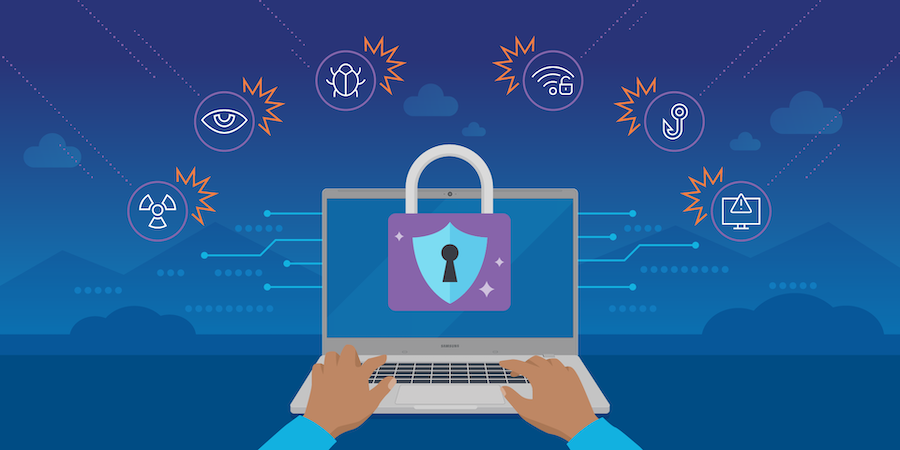
Cybersecurity Best Practices for Remote Employees: Remote work has moved from a temporary adjustment to a permanent operating model for many organizations. While it offers flexibility and productivity benefits, it also expands the attack surface for cybercriminals. Employees are no longer working inside a tightly controlled office network—they are connecting from homes, cafés, shared spaces, and sometimes unsecured public networks.
This shift means cybersecurity is no longer just an IT department responsibility. Every remote employee becomes a frontline defender of organizational data. The weakest device or careless click can potentially expose entire systems.
Below are the most important cybersecurity best practices for remote employees in 2026, explained in a practical, real-world context.
1. Strengthen Password Hygiene and Use Password Managers
Weak passwords remain one of the most common entry points for attackers. Many breaches still occur because employees reuse passwords across multiple accounts or choose predictable combinations.
Remote workers should:
- Use long, unique passwords for every account
- Avoid reusing work passwords for personal services
- Enable a trusted password manager instead of storing credentials in browsers or notes
Password managers reduce the cognitive burden of remembering complex passwords while significantly improving security. They also help prevent credential reuse, which is a major cause of account compromise.
A single leaked password can lead to “credential stuffing” attacks where automated systems try the same login across multiple platforms.
2. Enable Multi-Factor Authentication Everywhere
Passwords alone are no longer sufficient. Multi-factor authentication (MFA) adds a second layer of protection, usually requiring a code, app confirmation, or hardware key.
Remote employees should enable MFA on:
- Email accounts
- Work collaboration tools
- Cloud storage systems
- VPN access
- Financial platforms
Even if attackers steal a password, MFA makes unauthorized access significantly harder. However, employees must avoid weak MFA methods like SMS where possible, since SIM-swap attacks can bypass them.
Authenticator apps or hardware security keys provide stronger protection.
3. Secure Home Wi-Fi Networks
A home network is often the first point of entry for attackers targeting remote workers.
Key steps include:
- Changing default router usernames and passwords
- Using strong WPA3 or WPA2 encryption
- Disabling remote administration features
- Updating router firmware regularly
- Creating a separate guest network for personal devices
Many employees overlook router security, but an unprotected router can allow attackers to intercept traffic or gain access to connected devices.
Treating home Wi-Fi like a corporate network is essential for secure remote work.
4. Avoid Public Wi-Fi or Use It Safely
Public Wi-Fi networks in cafés, airports, and hotels are convenient but risky. Attackers can intercept data or create fake hotspot networks to steal credentials.
If public Wi-Fi must be used:
- Always connect through a trusted VPN
- Avoid accessing sensitive systems like banking or internal dashboards
- Disable automatic Wi-Fi connections
- Turn off file sharing and AirDrop-like features
A virtual private network (VPN) encrypts traffic and reduces the risk of interception, but it is not a complete security solution on its own.
5. Keep Devices and Software Updated
Outdated software is one of the easiest ways for attackers to exploit systems. Many cyberattacks target known vulnerabilities that already have patches available.
Remote employees should:
- Enable automatic updates for operating systems
- Regularly update browsers and extensions
- Install security patches promptly
- Update collaboration and communication tools
Delaying updates increases exposure to zero-day and known exploits that are actively used in the wild.
6. Be Alert to Phishing and Social Engineering
Phishing remains one of the most effective cyberattack methods, especially in remote environments where employees rely heavily on email and messaging platforms.
Modern phishing attempts often:
- Mimic internal company communication styles
- Use urgent language like “immediate action required”
- Impersonate executives or HR departments
- Include fake login pages or malicious attachments
Employees should verify:
- Unexpected requests for credentials or payments
- Slight changes in email domains or spelling
- Links that redirect to unfamiliar websites
When in doubt, confirm requests through a separate communication channel instead of clicking links directly.
7. Separate Work and Personal Devices
Using the same device for work and personal activities increases risk exposure. Personal browsing habits, downloads, or unverified software can introduce malware into a work environment.
Best practice includes:
- Using dedicated work devices whenever possible
- Avoiding installation of unauthorized software
- Keeping personal and professional accounts separate
- Not storing work files on personal cloud services unless approved
Organizations often implement endpoint management tools, but employee discipline remains critical.
8. Secure Physical Work Environment
Cybersecurity is not only digital. Physical access to devices can lead to data breaches.
Remote employees should:
- Lock devices when stepping away
- Avoid leaving laptops unattended in public spaces
- Use privacy screens in shared environments
- Store devices securely when not in use
A stolen or unattended device without encryption can expose sensitive company data in minutes.
9. Use Secure File Sharing Practices
Sharing files through unsecured channels is a common mistake in remote workflows.
Employees should:
- Use approved cloud storage platforms
- Avoid sending sensitive files via personal email or messaging apps
- Apply access controls and expiration settings when sharing documents
- Verify recipient permissions before sharing
Misconfigured file permissions can unintentionally expose confidential data to unauthorized users.
10. Understand and Follow Company Security Policies
Many security issues arise simply because employees are unaware of policies or consider them optional.
Remote workers should be familiar with:
- Acceptable use policies
- Data classification rules
- Incident reporting procedures
- Approved software and tools
If something seems unclear, it is safer to ask than to assume. Security policies are designed to reduce ambiguity in high-risk situations.
11. Be Cautious with AI Tools and Browser Extensions
AI tools and browser extensions are widely used in remote work environments, but they can introduce hidden risks.
Potential issues include:
- Data being logged or stored externally
- Excessive permissions on browser extensions
- Unverified AI tools collecting sensitive input
Employees should:
- Use only approved AI platforms for work-related tasks
- Review permissions before installing extensions
- Avoid inputting confidential data into unknown systems
Convenience should never override data protection rules.
12. Report Suspicious Activity Immediately
One of the most important habits in cybersecurity is timely reporting. Many breaches escalate because initial warning signs are ignored or delayed.
Employees should report:
- Unusual login notifications
- Suspicious emails or messages
- Unexpected system behavior
- Lost or compromised devices
Early reporting allows security teams to respond before damage spreads across systems.
As demonstrated
Remote work has expanded flexibility, but it has also expanded the cybersecurity responsibility of every employee. Security is no longer confined to office networks or IT departments—it is distributed across every home office, laptop, and login session.
The most effective cybersecurity strategy for remote work is a combination of technology and behavior. Strong tools like MFA, VPNs, and encryption are essential, but they are not enough on their own. Human awareness, discipline, and consistent habits remain the strongest defense layer.
Ultimately, cybersecurity in remote environments is about reducing assumptions—never assuming a network is safe, never assuming an email is legitimate, and never assuming security is “handled by IT.” Google Accused of Installing Gemini Nano Through Chrome Without Clear Consent | Maya